![Top 5 Best Laptop Rental Singapore Company Websites - [2025-2026]](/images/SGPad-Laptop-rental-services-in-Singapore.jpg)
Top 5 Best Laptop Rental Singapore Company Websites - [2025-2026]
Renting a laptop can be an ideal solution for all your event needs, and offers a broad range of benefits. Some people will be concerned about whether Is it better to rent or buy a laptop. This article will explore the benefits of renting a laptop and below are the top 5 best websites that offer laptop rental services in Singapore
Key advantages of renting a laptop
- Cost Saving: Renting doesn’t tie up funds for an outright laptop purchase, making it a cost-effective option for both students and event organisers in Singapore, especially when renting in bulk. The below table is the average cost of renting a laptop:
| Laptop Model | Battery Capacity | Specification | Per/Day Rental (SGD) | Ideal For | Renting Duration |
| Lenovo T480s | Up to 13.9 Hours | Windows 10 Home, Intel Core with 8GB installed memory, Intel UHD Graphics | 30$-100$/Day | Browsing the Internet, registration for events purposes | Daily, Weekly, Monthly |
| Lenovo T480S | Up to 15 Hours | Windows 10 Home, Intel Intel Core i5 or i7 with 8GB installed memory, intel UHD Graphics 620 | 40$-100$/Day | Running the event software, gaming, design or even presentations | Daily, Weekly, Monthly |
| Macbook Pro M1 13 | Up to 17 Hours | Mac OS with M1 Chip with16GB installed memory, 13" (diagonal) LED-backlit display | 50$-100$/Day | Content creators, designers, developers, presentations, running event software, photo editing | Daily, Weekly, Monthly |
| Macbook Pro M1 15.4 | Up to 17 Hours | Mac OS with M1 Chip with16GB installed memory, 15.4" (diagonal) LED-backlit display | 70$-100$/Day | Content creators, designers, developers, presentations, running event software, photo and video editing | Daily, Weekly, Monthly |
| Lenovo ThinkPad T470S | Up to 15 Hours | Intel Core i7- 6th gen 8GB/256ssd | 25$-30$/Day | Running the event software and gaming | Daily, Weekly, Monthly |
| Lenovo ThinkPad T470S | Up to 15 Hours | Intel Core i7- 6th gen 16GB/512ssd | 30$-40$/Day | Running the event software and gaming | Daily, Weekly, Monthly |
| Lenovo ThinkPad X270 | Up to 15 Hours | Intel Core i5 8GB DDR4 | 256GB SSD | $15-30$/Day | Running the event software and gaming | Daily, Weekly, Monthly |
| Lenovo ThinkPad X270 | Up to 15 Hours | Intel Core i7 8GB DDR4 | 256GB SSD | $20-30$/Day | Running the event software and gaming | Daily, Weekly, Monthly |
| Lenovo ThinkPad T14s | Up to 15 Hours | Gen 2 TouchScreen i5 11th-Gen 16GB Ram 512GB SSD | $30-40$/Day | Running the event software and gaming | Daily, Weekly, Monthly |
| Dell Inspiron 15 3558 | Up to 15 Hours | 15.6" i3 5th-Gen 8GB Ram 500GB HDD | $15-30$/Day | Running the event software and gaming | Daily, Weekly, Monthly |
| Lenovo ThinkPad T540p | Up to 15 Hours | 15.6" i7 4th-Gen 8GB Ram 500GB HDD | $15-30$/Day | Running the event software and gaming | Daily, Weekly, Monthly |
| Dell Latitude E6430 | Up to 15 Hours | i7 3rd-Gen 8GB RAM 256GB SSD | $20-30$/Day | Running the event software and gaming | Daily, Weekly, Monthly |
| Dell Latitude 7470 | Up to 15 Hours | i7 6th-Gen 8GB Ram 256GB SSD | $20-30$/Day | Running the event software and gaming | Daily, Weekly, Monthly |
| Dell Latitude 5470 | Up to 15 Hours | i7 6th-Gen 8GB Ram 256GB SSD | $20-30$/Day | Running the event software and gaming | Daily, Weekly, Monthly |
| HP EliteBook 1040 G3 TouchScreen | Up to 15 Hours | i7 6th-Gen 8GB Ram 256GB SSD | $20-30$/Day | Running the event software and gaming | Daily, Weekly, Monthly |
| Acer Travelmate P455 | Up to 15 Hours | 15.6 inches Laptop | Intel Quad Core i5 4th Gen | 8GB RAM/ 320GB HDD | Windows 10 Pro | $15-30$/Day | Running the event software and gaming | Daily, Weekly, Monthly |
| Asus Vivobook Go 14 | Up to 15 Hours | E1404FA-NK184W / R3-7320U / 8GB RAM / 256GB SSD | $20-30$/Day | Running the event software and gaming | Daily, Weekly, Monthly |
| Acer Aspire 3 A315-510P-38M8 | Up to 15 Hours | i3-N305 / 8GB RAM / 512GB SSD 15.6" Silver | $20-30$/Day | Running the event software and gaming | Daily, Weekly, Monthly |
| Acer SFG14-42-R4SK / R5-7640U | Up to 15 Hours | 16GB RAM / 512GB SSD / 14" | $20-30$/Day | Running the event software and gaming | Daily, Weekly, Monthly |
| Asus ZenBook UM425QA-KI180W | Up to 15 Hours | R5-5600H / 16GB RAM / 512GB SSD / AMD Radeon | $20-30$/Day | Running the event software and gaming | Daily, Weekly, Monthly |
| Asus VivoBook X1504ZA-BQ381W | Apple MacBook Pro Laptop | 16 Inches IPS-Type LCD Display | i7-1255U / 8GB RAM / 512GB SSD / 15.6" | $20-30$/Day | Running the event software and gaming | Daily, Weekly, Monthly |
| Apple MacBook Pro Laptop | 16 Inches IPS-Type LCD Diplay | Up to 15 Hours | Intel Core i7 (6-Core/ 2.6 GHz) Processor | AMD Radeon Pro 5300M Graphics | 16GB RAM | macOS | Silver | $60-80$/Day | Content creators, designers, developers, presentations, running event software, photo editing | Daily, Weekly, Monthly |
| Apple MacBook Air MD760 (2013 Version) Laptop | Up to 15 Hours | 13.3 Inches Glossy Display | 1440 x 900 Resolution | 8GB RAM | 128GB SSD | macOS | Silver | $60-80$/Day | Content creators, designers, developers, presentations, running event software, photo editing | Daily, Weekly, Monthly |
| Apple MacBook Pro (2015) Laptop | 15.4 Inches | Up to 15 Hours | Intel Core i7 (6-Core/ 2.6 GHz) Processor | AMD Radeon R9 M370x Graphics | 16GB RAM | 500GB SSD | macOS | Space Grey | $60-80$/Day | Content creators, designers, developers, presentations, running event software, photo editing | Daily, Weekly, Monthly |
| Apple MacBook Pro Laptop | 15.4 Inches (2016) IPS-Type LCD Display | Up to 15 Hours | Intel Core i7 (6-Core/ 2.6 GHz) Processor | Intel HD Graphics 530 Graphics | 16GB RAM | 256GB Storage | macOS | Space Grey | $60-80$/Day | Content creators, designers, developers, presentations, running event software, photo editing | Daily, Weekly, Monthly |
| Microsoft Surface Pro 7 | Up to 15 Hours | i7/16/256 Matte Black (Business Edition With Windows 10 Pro) | $60-80$/Day | Running the event software and gaming | Daily, Weekly, Monthly |
| Dell 7400 Laptop | 14 Inch FHD Display | Up to 15 Hours | Intel Core i5 8th Gen | 16GB RAM| 512GB SSD | $20-30$/Day | Running the event software and gaming | Daily, Weekly, Monthly |
| Dell Latitude 5490 14-Inch FHD Laptop | Up to 15 Hours | Intel Core i5-8250U 8th Gen | 8GB RAM/ 512GB SSD| Windows 10 Pro | $20-30$/Day | Running the event software and gaming | Daily, Weekly, Monthly |
| Lenovo Thinkpad L560 15.6 Inches Laptop | Up to 15 Hours | (Intel CORE I5 6TH GEN/ 8GB RAM/ 256GB SSD/ Windows 10 Pro | $20-30$/Day | Running the event software and gaming | Daily, Weekly, Monthly |
| HP Probook 440 G2 14 Inches Laptop | Up to 15 Hours | Intel Core i5 5th Gen| 8GB RAM | 128GB SSD | Windows 10 Pro | $20-30$/Day | Running the event software and gaming | Daily, Weekly, Monthly |
| MSI MS-179C GE72MVR 7RG Apache Pro 17.3-Inch Slim | Up to 15 Hours | Intel Core i7 Quad-Core 7th-Gen/ 16GB RAM/ GeForce GTX | $20-30$/Day | Running the event software and gaming | Daily, Weekly, Monthly |
| Lenovo ThinkPad X1 Carbon Laptop | Up to 15 Hours | Intel Core (5th Generation) i7 7th-Gen | 16GB RAM | 256GB SSD | Integrated | $20-30$/Day | Running the event software and gaming | Daily, Weekly, Monthly |
| Lenovo ThinkPad P52 i7 | Up to 15 Hours | 8th Gen 64GB RAM 512GB 15.6" display Nvidia graphics | $20-30$/Day | Running the event software and gaming | Daily, Weekly, Monthly |
| Microsoft Surface Book Laptop | Up to 15 Hours | |13.5 Inch (2256 x 1504) Display | Core i7-8th Gen 6GB Dedicated Graphics card | 16GB RAM | 512GB SSD | | $20-30$/Day | Running the event software and gaming | Daily, Weekly, Monthly |
| Dell Latitude 7480 Laptop | Up to 15 Hours | 14 Inch FHD (1920 x 1080) Display | Intel Core i7-6600U 6th-gen | 16GB RAM/ 256GB SSD | Win 10 Pro | Black | $20-30$/Day | Running the event software and gaming | Daily, Weekly, Monthly |
| Lenovo ThinkPad T470S 14-Inch Touchscreen FHD IPS Display Laptop | Up to 15 Hours | Intel Core i7- 7th Gen | 16GB RAM | 1TB SSD | Windows 10 Pro | $20-30$/Day | Running the event software and gaming | Daily, Weekly, Monthly |
| Lenovo Thinkpad X131E | 11.6 Inches (1366 x 768) Display | Up to 15 Hours | Intel Celeron Processor | 3rd Gen 4GB RAM 32GB HDD | Black | $20-30$/Day | Running the event software and gaming | Daily, Weekly, Monthly |
| HP EliteBook 830 G7 Laptop | Up to 15 Hours | 13.3Inch FHD (1920 x 1080) Display | 1.7GHz Intel Core i5 10th Gen | 16GB | 256GB SSD | Silver | $20-30$/Day | Running the event software and gaming | Daily, Weekly, Monthly |
| Dell Latitude 7440 | Up to 15 Hours | 14 inches (1920 x 1080) Display | 4th Gen Intel Core i7 | RAM 8GB / 128GB SSD | Windows 10 | Black | $20-30$/Day | Running the event software and gaming | Daily, Weekly, Monthly |
| Apple MacBook Pro 13.3 inch | Up to 15 Hours | M1 Chip with 8 Core CPU and 8 Core GPU | 8GB, 256GB SSD | Space Grey | $20-30$/Day | Running the event software and gaming | Daily, Weekly, Monthly |
| Lenovo ThinkPad X1 Yoga 3 | Up to 15 Hours | 14-Inch (1920 x 1080) Display | Intel Core i7 (8th Gen) | 16GB Ram 512GB SSD | Black | $20-30$/Day | Running the event software and gaming | Daily, Weekly, Monthly |
| Microsoft Surface Pro 5 1796 | Up to 15 Hours | 12.3 Inches (2736 x 1824) Display | Intel Core i5-7300U 2.60GHz | 8GB RAM | 256GB SSD | Win 10 Pro | Silver | $20-30$/Day | Running the event software and gaming | Daily, Weekly, Monthly |
| Lenovo ThinkPad X390 Intel Core i5 8th Gen Laptop | Up to 15 Hours | 13.3 inches FHD (1920 x 1080) | LED IPS Thin and Light Business | 16GB RAM / 256GB | $20-30$/Day | Running the event software and gaming | Daily, Weekly, Monthly |
| Lenovo Thinkpad T480 Laptop | Up to 15 Hours | 14 Inches (1920 x 1080) FHD Display | Intel Core i5 8350U Processor | 8GB RAM | 256GB SSD | Windows 10 | Black | $20-30$/Day | Running the event software and gaming | Daily, Weekly, Monthly |
| Toshiba R30-A | 13.3 Inches (1366 x 768) | Up to 15 Hours | 4GB RAM | 128 GB Storage | Display Window 10 Pro Laptop | Black | $20-30$/Day | Running the event software and gaming | Daily, Weekly, Monthly |
- Flexibility: How long do you need the equipment for? If you only require certain devices for a short period such as just a day or a week, renting is the perfect solution. Most vendors will offer flexible lease terms designed to cater for your business.
- Trial before purchase: Before you rent a laptop from a laptop rental service provider, you will get a chance to test it to check whether it suits your needs. The same holds true for other IT equipment. By testing the laptop for your specific requirements such as presentation use or sign-up processes, you can ensure it fulfils your needs to prevent cost spending. Hence, it makes sense to look for rental services that allow you to test equipment before investing. For example, if you're planning to conduct a roadshow and plan to rent laptops for events in Singapore, you can ask the vendor to provide a recorded video demonstrating the presentation setup and sign-up process before finalizing the rental. It would be helpful if the pricing fits within your budget.
- Low maintenance/repair costs: A lot of people will ask questions about whether Is it worth it to rent a laptop, and the answer would be yes; it's a cost-effective solution, especially for short-term needs. Renting a laptop is the lower cost of maintenance in comparison to owning laptops. If you ask someone who owns a laptop about maintenance charges, the one-word answer will likely be 'expensive'. As laptops have a shorter usable life than desktops, they need to be taken for servicing every couple of years.
Explore the Key Benefits of iPad Rentals in Singapore
In today fast paced Singapore, staying up to date with the latest technology as well as the information can help you to increase your competitiveness and competitive advantage. Whether you are a business owner or event organiser, renting a business laptop, and iPad Air and Pro in Singapore is a smart and economical option. Below are the key benefits of iPad rentals:
- Economic Friendly: Renting a laptop or iPad eliminates the need for a significant upfront investment. It allows you to access the latest technology without breaking the bank. You can even reduce costs via this flexible approach and, at the same time enjoy all the benefits of the latest devices.
- Flexibility: If you only require a few laptops and iPads for specific events or projects for temporary short-term needs, renting would be a better option instead of buying a new one. Most of the rental companies in Singapore provide flexible rental durations to fulfil your requirements and ensure you have the device for the desired duration.
- Low Maintenance Costs: When you rent a laptop, you don't have to worry about the high costs associated with maintenance and repairs and also storage. The laptop rental company will take care of these expenses to save you from unnecessary headaches and unexpected bills.
- Always Up-to-Date: Renting allows you to access the latest devices like laptops, MacBooks as well as iPads Air and Pro. It can help you to access the most advanced features and maintain competitiveness.
- Security: Renting laptops helps prevent scams and data breaches. Rental companies in Singapore usually install security software to protect against hackers and safeguard user privacy data. This is especially important if your event requires attendees to provide personal information for registration purposes.
Whether you need a laptop or Macbook for a conference, trade show, or laptop rental companies in Singapore offer a convenient and fuss-free solution. Whether you need a laptop or Macbook for a conference, trade show, or laptop rental companies in Singapore offer a convenient and fuss-free solution. With flexible rental packages and top-tier devices, these companies ensure you have the tools you need to stay productive. Just like the groundbreaking Singapore driverless taxi innovation shaping the future of transport, the tech rental market is similarly embracing cutting-edge advancements to deliver seamless user experiences.
Curated list of best websites to rent a laptop
These are the best companies (websites) that provide the best laptops on rent you can hire laptops on rent for temporary or long term in Singapore.
1) SGPad.com
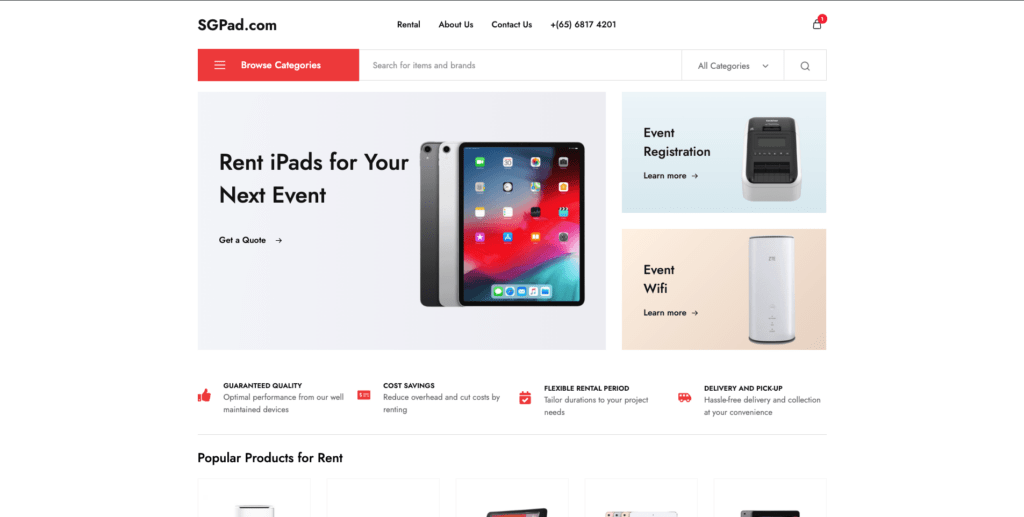
SGPad is a premier laptop rental provider in Singapore. Started in 2012, SGPad is a reliable IT hardware rental provider for short-term rental since. 2012. SGPad specialises in laptop, iPad and Macbook rentals and Wifi solutions. They also provide a broad range of laptop rentals such as Macbook Pro M1, Lenovo T480 and more. The rental price is customised and depends on various factors such as rental duration, purposes and quantities. Additionally, they also provide two-way delivery to the event location for the devices you rent. As mentioned above, if are wondering about the laptop's quality and price, feel free to drop a message to the sales team and ask for the demonstration video. For more information visit SGPad.com
2) ITEZ.sg
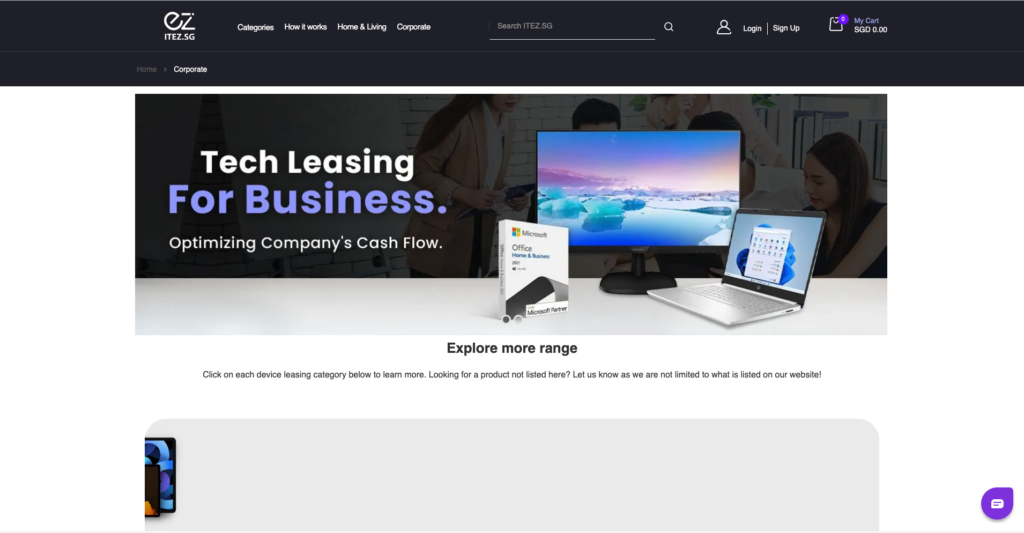
Founded in 2021, ITEZ.SG is an exciting and innovative online platform that provides a one-stop tech gadget subscription plan for up to 24 months that covers laptops, tablets, smartphones, and other products. There are no high upfront costs or deposits required, making tech affordable for personal use with its fixed monthly subscription plan
3)Tech For Rent
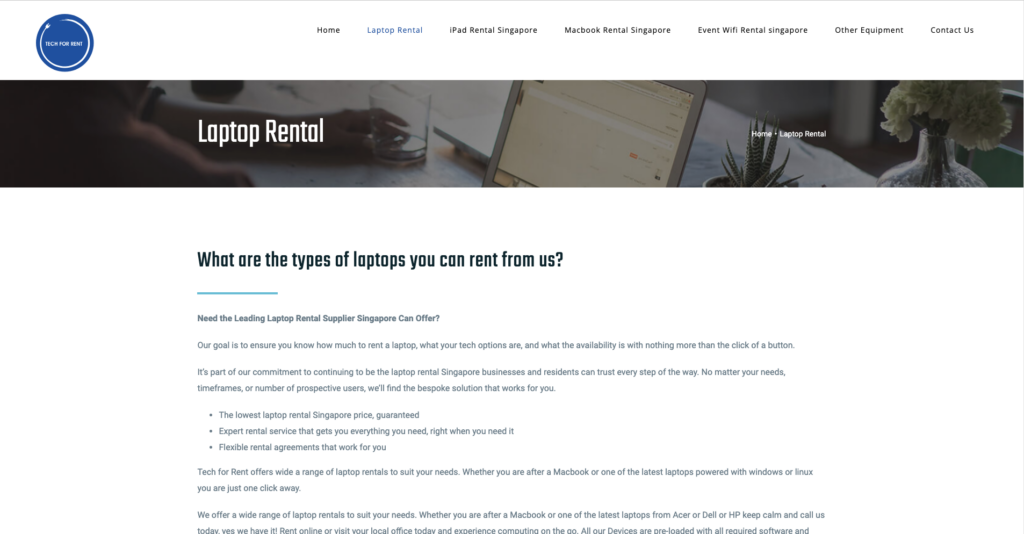
Founded in 2010, from laptops and projectors to virtual reality gear and networking equipment, TechForRent offers flexible rental options at competitive prices, making technology accessible whenever and wherever you need it.
4)ElectronicsCrazy
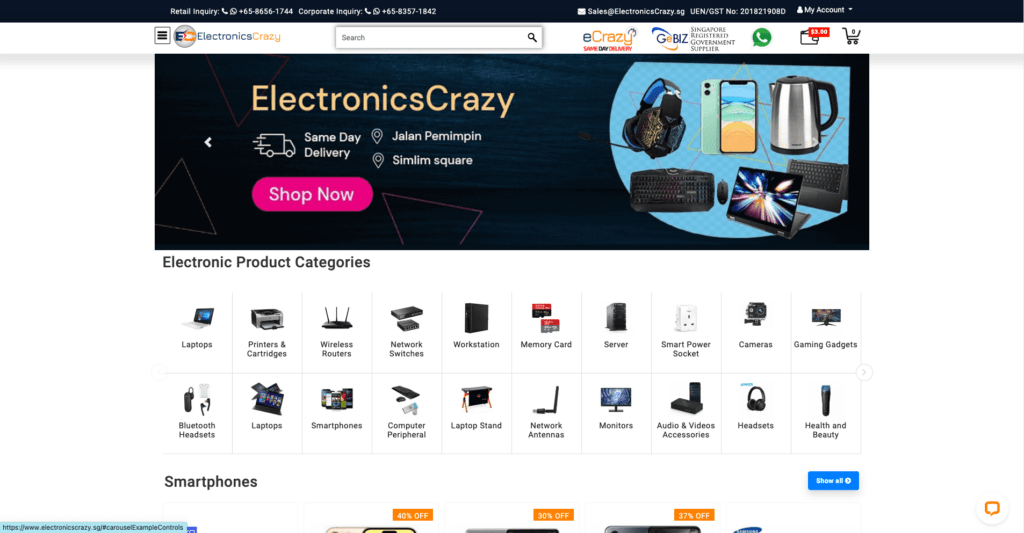
Founded in 2018, ElectronicsCrazy.SG is an online retailer based in Singapore. They specialise in a large range of electronics products, catering to Singapore with a variety of electronics that includes computers, accessories, home appliances and more.
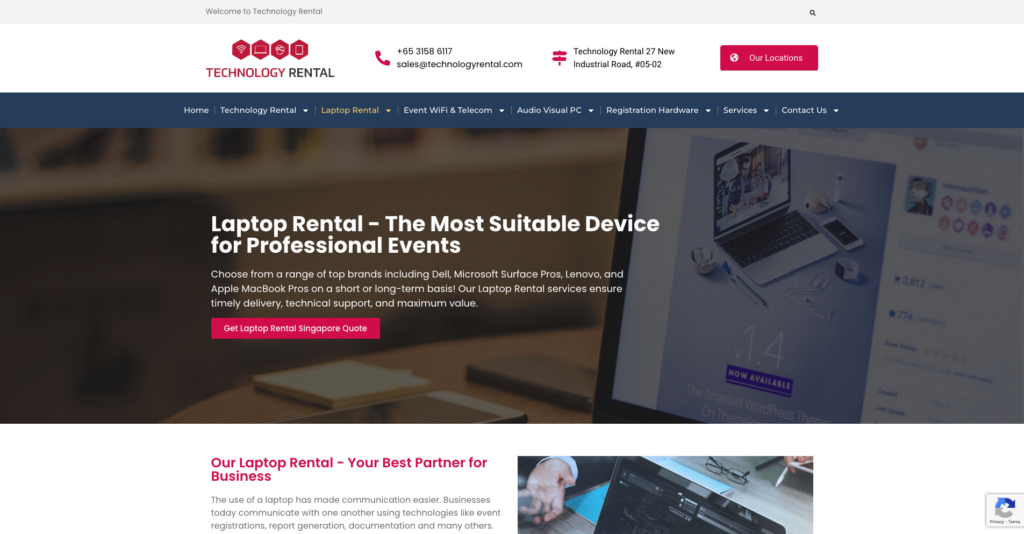
Founded in 2014, with ten years of global experience in the event technology industry, Technology Rental have established long-term relationships and support with our product partners and software vendors for their clients.
General Questions for Laptop Rental
1. What is the lease model for laptops?
Laptop leasing is a financing model in which event organisers can rent laptops for a certain duration of time instead of purchasing them. With Laptop rental, the event organisers can pay a fixed amount per day, per week or even per month with the agreed lease period.
2. Why rent a laptop?
Renting a laptop is an ideal plan for short-term events such as roadshows, ceremonies and more. If the latest technology or specific software is needed for your temporary events, renting a laptop could be your best option as it avoids large upfront investment
3. Is it a good idea to lease a laptop?
Laptop rental for events is a great option for short-term needs. First of all, identify the purpose of the rental, whether it's for assignments, events like ceremonies, roadshows, product launches, or even for gaming. Short-term rental helps you to avoid the upfront costs. However, long-term leasing may not be cost-effective, as it could lead you to pay more.
4. What are the advantages and disadvantages of laptop rental?
The advantages of laptop rental include no long-term commitments, low monthly, daily or even weekly payments and most importantly minimal maintenance cost. However, the disadvantages include you will never be owing the laptop, and you will be charged if the laptop is damaged, and restrictive terms and conditions.
Conclusion
The five companies listed above offer event technology rentals such as iPads, laptops, event WiFi, and other devices to meet your event needs. The rental durations also allow for short and long terms, and the quotations are customized. Visit their website to find the best option for your needs. If you are unsure about which type of laptop is suitable for business use, can visit Ultimate Guide to Laptop Rental Services in Singapore for Business Use.
Search
Recent Posts
Categories
Related Articles
Navigating Event Technology Singapore in 2026: Why "Operational Certainty" is the New Gold Standard
Read More
SGPad: The Leading Event Technology Company Redefining Singapore’s Corporate Landscape
Read More