One chassis.
Three printer options.
Our Eco Friendly Kiosk is a printer-agnostic check-in station. Pick the printer that matches your event's speed-versus-finish tradeoff. Same chassis, same software, different output.
Or call +(65) 8959 1848 for same-day advice.
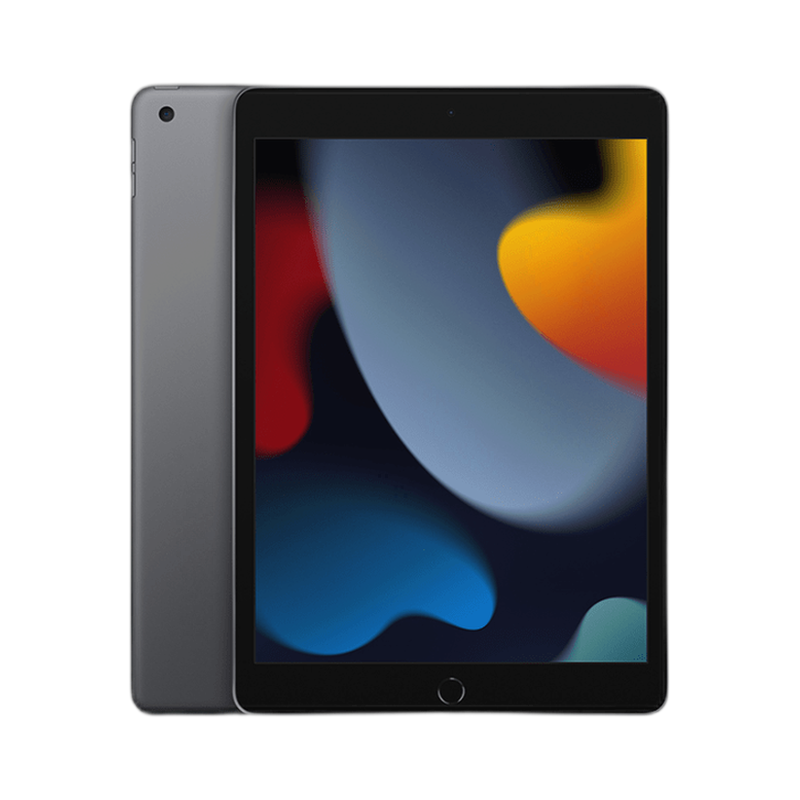
Throughput
100+ check-ins per hour per unit
Lead Time
~4 weeks from order to venue
Connectivity
Offline mode with auto-sync
Branding
Custom welcome screen per event
Supported Printer Configurations
The same kiosk chassis accepts three different printers. You choose at quote time — no separate SKUs, no chassis swap.
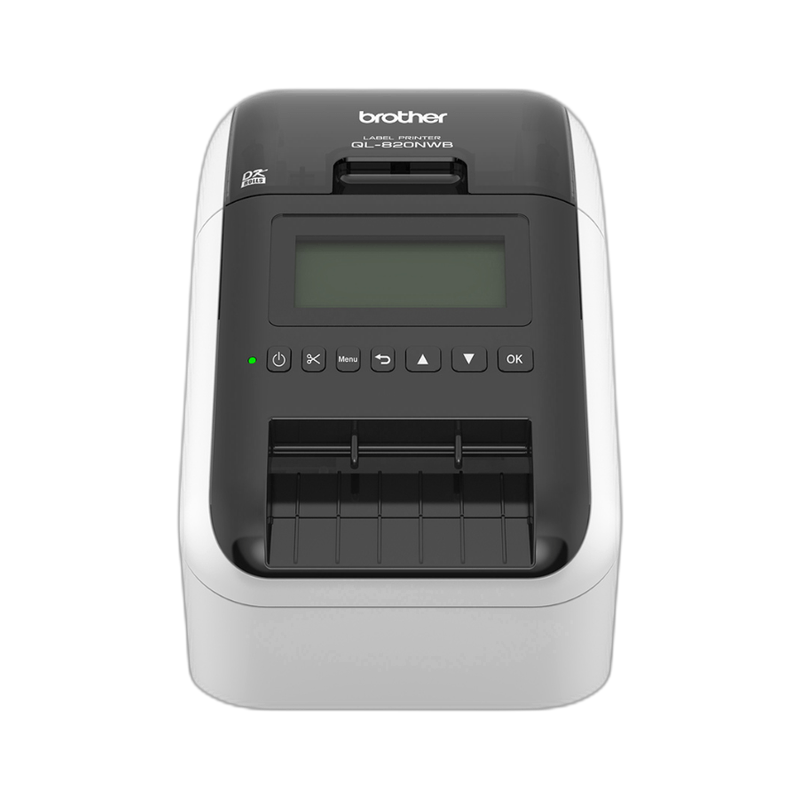
Brother QL Series
Thermal Label Printer
Thermal black-and-white printing. ~5 seconds per badge. Lowest cost per unit. Best for conferences where colour is not required.
- Speed
- Very high
- Colour
- Black only
- Media
- 62 mm roll, 4×3″ fanfold
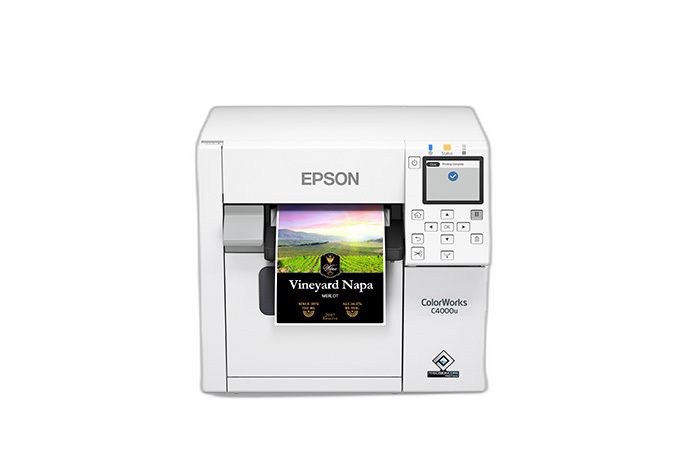
Epson C4000
Inkjet Colour Printer
Full-colour inkjet. ~20 seconds per badge. Prints on art card and premium stock. Ideal for galas, product launches, and corporate offsites.
- Speed
- Moderate
- Colour
- Full CMYK
- Media
- Art card (260 gsm), roll
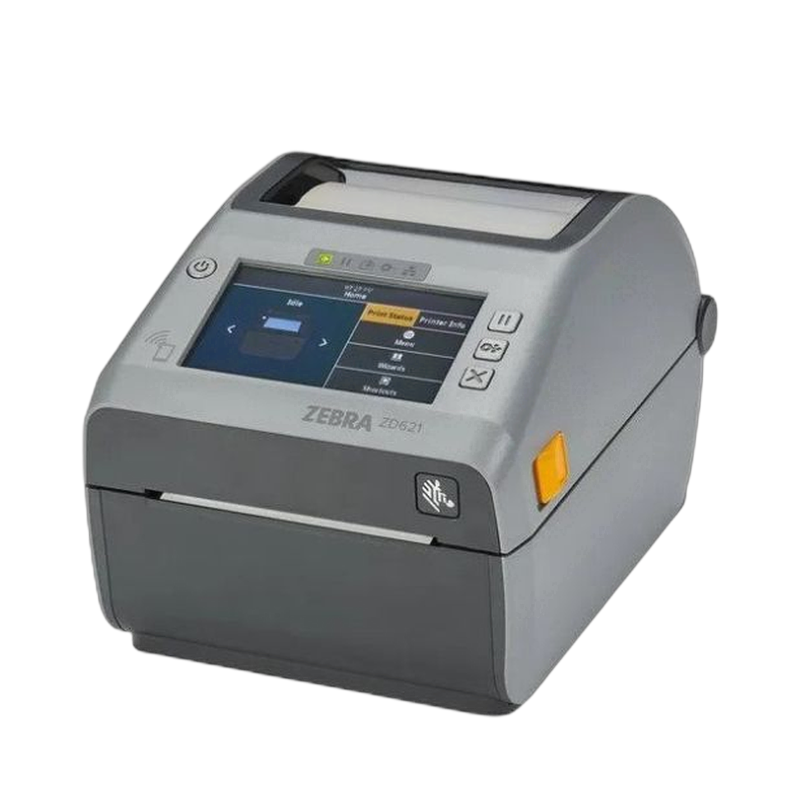
Zebra ZD621
Direct Thermal Printer
Direct thermal for durable output. Fanfold and roll compatible. Best for multi-day events or outdoor venues where badge longevity matters.
- Speed
- High
- Colour
- Black only
- Media
- 4×3″ / 4×6″ fanfold
How the Config Choice Works
Four steps from quote to deployment.
Tell us your event
Attendee count, venue, and whether you need colour badges.
We recommend a printer
Based on speed, finish, and budget. Same chassis either way.
Brand the welcome screen
Your logo, colours, and event name on the kiosk display.
Deliver and deploy
We deliver, configure, and test before doors open.
Simpler Than a SKU Maze
Some vendors sell "Basic", "Plus", and "Pro" kiosk models with different chassis for each printer. We don't. One chassis, one quote, one delivery — you just pick the printer.
| SGPad Eco Friendly Kiosk | Typical competitor approach | |
|---|---|---|
| Product SKUs | One kiosk, printer config at quote time | 2–3 separate kiosk models |
| Chassis swap | Never needed | Required to change printer type |
| Branding | Custom welcome screen per event | Fixed vendor branding |
| Offline mode | Yes, auto-syncs when reconnected | Varies by vendor |
Frequently Asked Questions
Can I switch printer config after booking?
Yes, up to 1 week before delivery. The chassis stays the same; we just swap the internal printer module and load the correct drivers. No change fees for like-for-like swaps.
What if my venue has no internet?
The kiosk operates in offline mode. Attendee lists are pre-loaded before the event. Check-ins and badge prints happen locally. When the kiosk reconnects to Wi-Fi or Ethernet, it auto-syncs attendance data back to your system.
Can the welcome screen show my event branding?
Yes. We replace the default welcome screen with your event logo, colours, and welcome message before every deployment. Send us your brand assets at least 5 days before the event and we will skin the kiosk accordingly.
Can I use a colour inkjet printer for black-only badges?
Technically yes — you can set a colour inkjet to grayscale mode. However, inkjets still consume small amounts of colour ink for maintenance cycles, and the per-badge cost remains higher than a thermal printer. If your badges are black-only, we recommend the Brother QL or Zebra ZD621.
How many kiosks do I need for my event?
One kiosk per 300–400 expected simultaneous arrivals. For a 1,000-person conference with a 60-minute arrival window, 3–4 kiosks keep queues under 5 minutes. For 200 pax, 1–2 kiosks are usually sufficient.
Plan your self-service check-in
Tell us your attendee count, venue, and whether you need colour badges. We'll recommend the right printer config and send a quote.